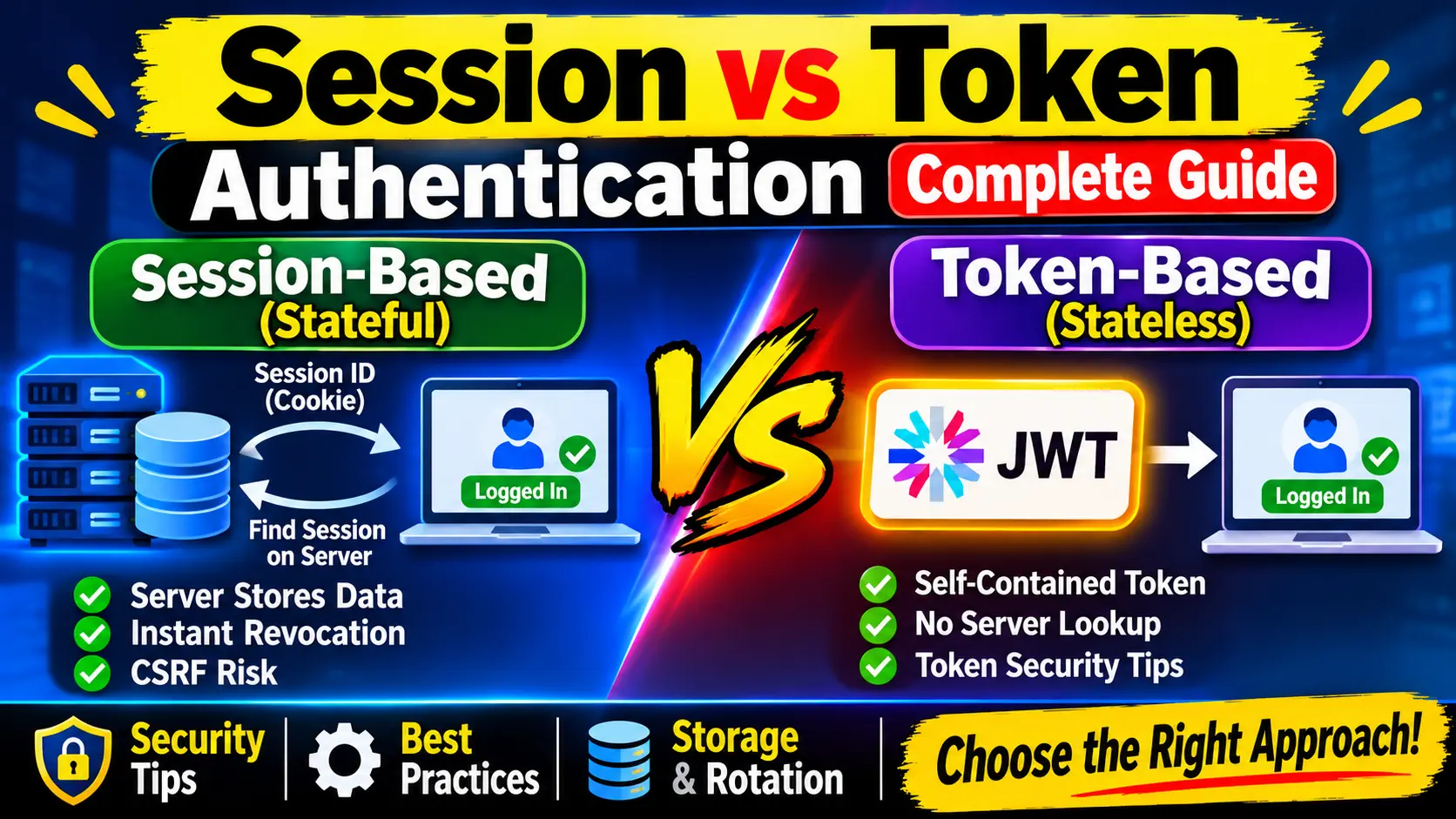
HTTP forgets you between requests. The server that logged you in a second ago sees your next click as a request from a stranger, so every web application needs a way to say: this request belongs to the same user as the last one. Two designs answer that question. In session authentication, the server remembers you and gives the browser a short ticket that points to its memory. In token authentication, the server gives you a signed statement about yourself, and every later request carries that statement along.
The first is called stateful, because the server keeps state. The second is called stateless, because the server can check the statement without looking anything up. Neither is "the secure one". Each shifts risk to a different place, and most real systems end up combining them. This guide explains how both work, where each one breaks, where to store a token in a browser, and how to choose.
Session-based authentication (stateful)
After a successful login, the server creates a record that says who you are and stores it, usually in memory, a database or Redis. It generates a long random identifier for that record, the session ID, and sends it to the browser in a cookie. The browser returns the cookie with every request, and the server uses the ID to find the record.
Browser                          App server                     Session store (Redis)
   |  POST /login (user, password)    |                                  |
   |-------------------------------->|  verify the password             |
   |                                  |  create session                  |
   |                                  |--- SET sess:ab12 {user: 42} ---->|
   |  Set-Cookie: sid=ab12; HttpOnly  |                                  |
   |<--------------------------------|                                  |
   |  GET /account  Cookie: sid=ab12  |                                  |
   |-------------------------------->|--- GET sess:ab12 --------------->|
   |                                  |<-- {user: 42} -----------------|
   |  200 OK (account page)           |                                  |
   |<--------------------------------|                                  |
   |  POST /logout                    |--- DEL sess:ab12 --------------->|
   |  Set-Cookie: sid=; Max-Age=0     |                                  |
   |<--------------------------------|                                  |
The cookie holds nothing but a pointer, so it is small. The data about the user stays on the server, where the browser can never edit it. A properly set cookie looks like this:
Set-Cookie: __Host-sid=9f2c1d7a4b...; Path=/; Secure; HttpOnly; SameSite=Lax; Max-Age=3600HttpOnlyhides the cookie from JavaScript, so a script injected into the page cannot read it.Securesends it over HTTPS only.SameSitecontrols whether the browser sends it on cross-site requests. Chrome treats a cookie without this attribute as Lax, but set it explicitly and do not rely on defaults.- The
__Host-prefix makes browsers accept the cookie only if it is Secure, hasPath=/and carries noDomainattribute, which keeps sibling subdomains from overwriting it.
With Express, the same settings look like this:
app.use(session({
  name: 'sid',
  secret: process.env.SESSION_SECRET,
  resave: false,
  saveUninitialized: false,
  store: redisStore,
  cookie: { httpOnly: true, secure: true, sameSite: 'lax', maxAge: 60 * 60 * 1000 }
}));
Strengths of sessions
- Instant revocation. Delete the record, and that session is dead on the next request. "Log out everywhere" and "ban this user now" are one operation.
- Small, opaque cookies. A session ID is typically 32 to 64 characters and reveals nothing.
- The server controls the data. Roles and permissions can change mid-session, and the next request sees the new values.
- Mature tooling. Every web framework has session middleware with sensible defaults.
Weaknesses of sessions
- Every request needs a lookup. The session store becomes a dependency, and it has to be fast and highly available. Run several app servers and they must share the store, or you need sticky routing.
- CSRF exposure. Browsers attach cookies automatically, so a malicious site can cause the browser to send a request that carries your cookie. You need SameSite, CSRF tokens or both.
- Cross-domain friction. An API on another domain needs CORS with credentials,
SameSite=None; Securecookies, and a browser that still accepts third-party cookies. Native mobile clients have no natural cookie jar. - Session fixation. Issue a fresh session ID at login, so that an ID planted before authentication is useless afterwards.
Use a long random ID from a cryptographically secure generator. OWASP's guidance treats 64 bits of entropy as a minimum, and many frameworks use 128 bits or more. Set both an idle timeout and an absolute timeout.
Token-based authentication (stateless, usually JWT)
Here the server hands out a token that contains the claims about the user and a signature. Any server that has the right key can verify the signature and trust the claims without looking up a session. The most common format is the JSON Web Token (JWT): three Base64URL parts separated by dots.
eyJhbGciOiJIUzI1NiIsInR5cCI6IkpXVCJ9.eyJzdWIiOiIxMjM0NTY3ODkwIiwibmFtZSI6IkFkYSBMb3ZlbGFjZSIsInJvbGUiOiJhZG1pbiIsImlhdCI6MTcwNDA2NzIwMCwiZXhwIjoxNzA0MDcwODAwfQ.vxkyoiso7ZwwdPSiHH2yy5zbnO94NdEgdssfeOrqb-EDecoded, the first part is the header and the second is the payload:
{"alg":"HS256","typ":"JWT"}

{"sub":"1234567890","name":"Ada Lovelace","role":"admin","iat":1704067200,"exp":1704070800}algnames the signing algorithm.subis the subject, usually the user ID.iatis when the token was issued andexpis when it expires, both in seconds since 1 January 1970 UTC. Hereexpminusiatis 3600, so the token lives one hour. Other common claims areiss(issuer),aud(audience),nbf(not before) andjti(a unique token ID).- The third part is the signature, calculated from the first two parts and a key. If anyone edits the payload, the signature no longer matches.
Security warning: a signed JWT is not encrypted. Anyone who holds the token can read the payload. Never put passwords, secrets or private data into it.
Browser / app                 Auth server                     API server
   | POST /login ---------------->|                                 |
   |<-- access token (15 min) + refresh token --|                  |
   |                                                                 |
   | GET /orders  Authorization: Bearer eyJ... ---------------------->|
   |                                   verify signature, exp, iss, aud|
   |<---------------------------------------------- 200 JSON --------|
   |                                                                 |
   | (15 min later) POST /refresh + refresh token -->|               |
   |<-- new access token + NEW refresh token ---|                   |
Verification on the API server looks like this. Pin the algorithm, because a verifier that accepts whatever the token claims can be tricked into accepting an unsigned token:
const jwt = require('jsonwebtoken');

const payload = jwt.verify(token, process.env.JWT_SECRET, {
  algorithms: ['HS256'],
  issuer: 'https://auth.example.com',
  audience: 'shop-api'
});
A shared secret like this one must be long and random, as described in our guide to a JWT secret key. When several services only need to verify tokens, sign with an asymmetric algorithm such as RS256 or ES256, so that those services hold only the public key.
Strengths of tokens
- Horizontal scaling. Any server with the key can check a token. No shared session store sits in the hot path.
- Microservices. A token can travel through several services, and each one reads the claims it needs.
- Cross-domain and mobile. A bearer token in the Authorization header works for a single-page app on one domain calling an API on another, and for native apps. It is not attached automatically, so classic CSRF does not apply to it.
- Third-party access. Tokens fit OAuth 2.0 and OpenID Connect, which most identity providers use.
Weaknesses of tokens
- Revocation is hard. A valid token stays valid until it expires, whatever happens to the user. Fixes exist, and each one adds state back (see the FAQs).
- Size. The small test token above is about 200 characters, and every extra claim, such as roles and permissions, grows it. It travels with every request, and many servers limit a single header line to around 8 KB by default.
- Stale claims. If a user loses a role, the old token still says that they have it until it expires.
- Easy to implement badly. Accepting the
nonealgorithm, skipping theexpcheck, weak secrets and storing tokens in the wrong place are all common mistakes.
Side-by-side comparison
- Storage location. Session: an HttpOnly cookie in the browser, the data on the server. Token: the browser or app, in memory, a cookie or storage, with the data inside the token.
- Server memory overhead. Session: one record per active user. Token: none for access tokens, though refresh tokens are stored on the server.
- Revocation. Session: immediate, by deleting the record. Token: only at expiry, unless you add a deny list, a token version check or short lifetimes.
- Scalability. Session: needs a shared store or sticky routing. Token: scales out easily, because verification needs only the key.
- Mobile native support. Session: workable, but cookies are awkward outside a browser. Token: natural, using the Authorization header.
- CORS and cross-domain. Session: needs credentialed CORS and cross-site cookie settings. Token: simple with a bearer header, though CORS still has to allow the origin and headers. If a request fails before the data arrives, our CORS guide helps.
- CSRF risk. Session cookies: yes, because the browser sends them automatically. Bearer tokens in a header: no. A token stored in a cookie brings the CSRF risk back.
- XSS risk. Session cookie with HttpOnly: the cookie cannot be read, although injected script can still send requests. Token in localStorage: injected script can read and steal it.
Where should you store a JWT in the browser?
This is the debate that never ends, and the honest answer is that every option trades one risk for another.
- localStorage: survives reloads and tabs, and is readable by every script on your origin. One XSS bug, or one compromised third-party script, exposes the token for as long as it is valid. It is not sent automatically, so there is no CSRF.
- sessionStorage: the same exposure to scripts, but limited to one tab and cleared when the tab closes. Slightly smaller window, same core problem.
- An HttpOnly, Secure, SameSite cookie: JavaScript cannot read it, which removes the most common token theft. The browser sends it automatically, so you must handle CSRF, and cookies have a size limit of about 4 KB.
- In memory (a JavaScript variable): gone on reload, and not available to other tabs, but never written to a place that persists. An attacker's script running in your page can still use the application's own functions, so it is not magic.
Security warning: HttpOnly does not stop XSS. It stops cookie theft. A script injected into your page can still make authenticated requests while the victim has the page open. The real defence against XSS is output escaping, a strict Content-Security-Policy and clean dependencies.
The pattern that works well: a short-lived token in memory plus a refresh cookie
- The access token lives a few minutes, 5 to 15 for example. It is kept in a JavaScript variable and sent in the Authorization header.
- The refresh token lives days or weeks. It sits in an HttpOnly, Secure, SameSite=Strict cookie that the browser sends only to the refresh endpoint, and it is stored on the server so that it can be revoked.
- On page load or when the access token expires, the app calls the refresh endpoint, which sets a new access token.
Set-Cookie: __Secure-refresh=7c1e0b...; Path=/auth/refresh; Secure; HttpOnly; SameSite=Strict; Max-Age=1209600let accessToken = null;
async function refreshAccessToken() {
const res = await fetch('/auth/refresh', { method: 'POST', credentials: 'include' });
if (!res.ok) {
throw new Error('Session expired, please log in again');
}
const data = await res.json();
accessToken = data.accessToken;
}
async function callApi(path) {
return fetch(path, { headers: { Authorization: 'Bearer ' + accessToken } });
}Rotate refresh tokens. Each use of a refresh token returns a new one and invalidates the old one. If an old refresh token is ever presented again, someone has copied it. Treat that as theft, and revoke the whole chain of tokens for that login. This reuse detection is what turns a stolen refresh token from a long-term problem into a short one. Also protect the refresh endpoint against CSRF, for example by requiring a custom header and checking the Origin header.
A more conservative option: the backend-for-frontend
Current guidance for browser-based OAuth clients leans towards a server component, a backend-for-frontend (BFF). The browser gets an ordinary HttpOnly session cookie. The BFF holds the access and refresh tokens, adds them to calls to the APIs, and never gives them to JavaScript. In that design the browser uses sessions and the backend uses tokens, which is a good example of the two approaches working together.
OAuth 2.0 token architecture in brief
- Access token: proves that the client may call an API, with limited scope and a short life. It can be a JWT or an opaque random string.
- Refresh token: gets new access tokens without a new login. It goes only to the authorization server, never to resource APIs.
- ID token (OpenID Connect): tells the client who the user is. It is for the client application, not for calling APIs.
- Opaque versus JWT access tokens: an opaque token is a random string that an API checks by asking the authorization server (token introspection). That brings back instant revocation, at the cost of a call. A JWT is checked locally and cheaply, but is harder to revoke.
- Authorization Code flow with PKCE is the recommended flow for single-page and mobile apps. The implicit flow, which returned tokens in the URL, is discouraged.
Inspecting tokens during development
When a login works in one place and fails in another, look at the token before you look at the code. Paste a token into the JWT Decoder to read the header and the claims: is exp already in the past, does aud match the API, is sub the user you expect, and which alg does the header declare? Convert the exp and iat values to dates with the Timestamp Converter, and remember that they are in seconds, not milliseconds.
Each of the first two JWT parts is Base64URL, the variant of Base64 that uses - and _ and leaves out the padding. If you want to see the raw decoding step, paste a segment into the Base64 Encoder / Decoder. A segment may need its = padding restored first, which our guide to the Base-64 length error explains. The same tool shows what is inside a Basic authorization header, which is Base64 of user:password. That is encoding, not protection.
Login and refresh endpoints answer with JSON, and a stray comma or quote there breaks the client in confusing ways. Paste a response body into the JSON Validator to find the exact position of the problem. These tools run in your browser, but avoid pasting live production tokens into any online tool, and treat any token you have shared as compromised.
Which one should you choose?
Choose session authentication when
- You run a server-rendered or monolithic application where the browser talks to one backend on one site.
- You need immediate logout, account lockout or "terminate all sessions" controls.
- It is an internal or enterprise tool where simplicity and control matter more than scale across services.
Choose token authentication when
- You build a single-page application that calls APIs on other domains, or a native mobile app.
- You run microservices that all need to verify the caller without a shared session store.
- You provide a public API or you rely on an identity provider with OAuth 2.0 and OpenID Connect.
Combine them when
- A BFF holds the tokens and gives the browser a session cookie.
- Short-lived access tokens are paired with revocable, server-stored refresh tokens.
FAQs
Is JWT inherently more secure than session cookies?
No. A JWT is a format, not a security guarantee. A session cookie with HttpOnly, Secure and SameSite set well is hard to steal from the browser and easy to revoke. A JWT in localStorage can be stolen by any script, and it cannot be revoked easily. What decides security is how you store the credential, how long it lives, how you validate it and how you handle XSS and CSRF, not whether the word JWT appears in your stack.
How do you revoke a JWT before its expiration time?
You cannot change a token that has been issued, so you make the server remember something. The common options are: keep access tokens short, 5 to 15 minutes, so that the damage window is small; store refresh tokens on the server and delete them on logout; keep a deny list of jti values that you check on each request; or store a token version for each user and reject tokens with an older version. Each option adds a lookup, so the system is no longer purely stateless, and that is a normal trade-off.
Can I combine session cookies and JWT tokens in the same application?
Yes, and many systems do. Use a session cookie between the browser and your own backend, and tokens between your backend and other services. You can also store a JWT inside an HttpOnly cookie, which gives you the cookie protections but brings CSRF protection back as your job. Keep the responsibilities clear, so that you always know which credential protects which hop.
Should the access token be a JWT or an opaque token?
Use a JWT when many services must verify tokens without calling the authorization server, and when short lifetimes make revocation less important. Use an opaque token when you need instant revocation or do not want any claims to be visible to clients, and accept the extra introspection call.
A rule of thumb
If your browser app and your API belong to the same team and the same site, start with sessions and add tokens only when a real requirement, such as a mobile client or a third-party API, asks for them. If you do use tokens, keep them short-lived, pin the algorithm, validate every claim you rely on, and keep the long-lived credential out of reach of JavaScript.