A JWT signed with HS256 is only as secure as its secret. The token travels to the client, so anyone can copy the header, the payload and the signature and then test guesses against that signature offline, without ever touching your server. A guessable secret such as secret or mysecret falls in moments. A random 256-bit secret does not.
This guide shows how to generate a secure JWT secret key with tools you already have, how long it must be for each algorithm, how to use it and how to store and rotate it. Generate production secrets on your own machine. Anything created on a web page has passed through code you do not control, which is why this article uses local commands instead of an online generator.
How long should a JWT secret key be?
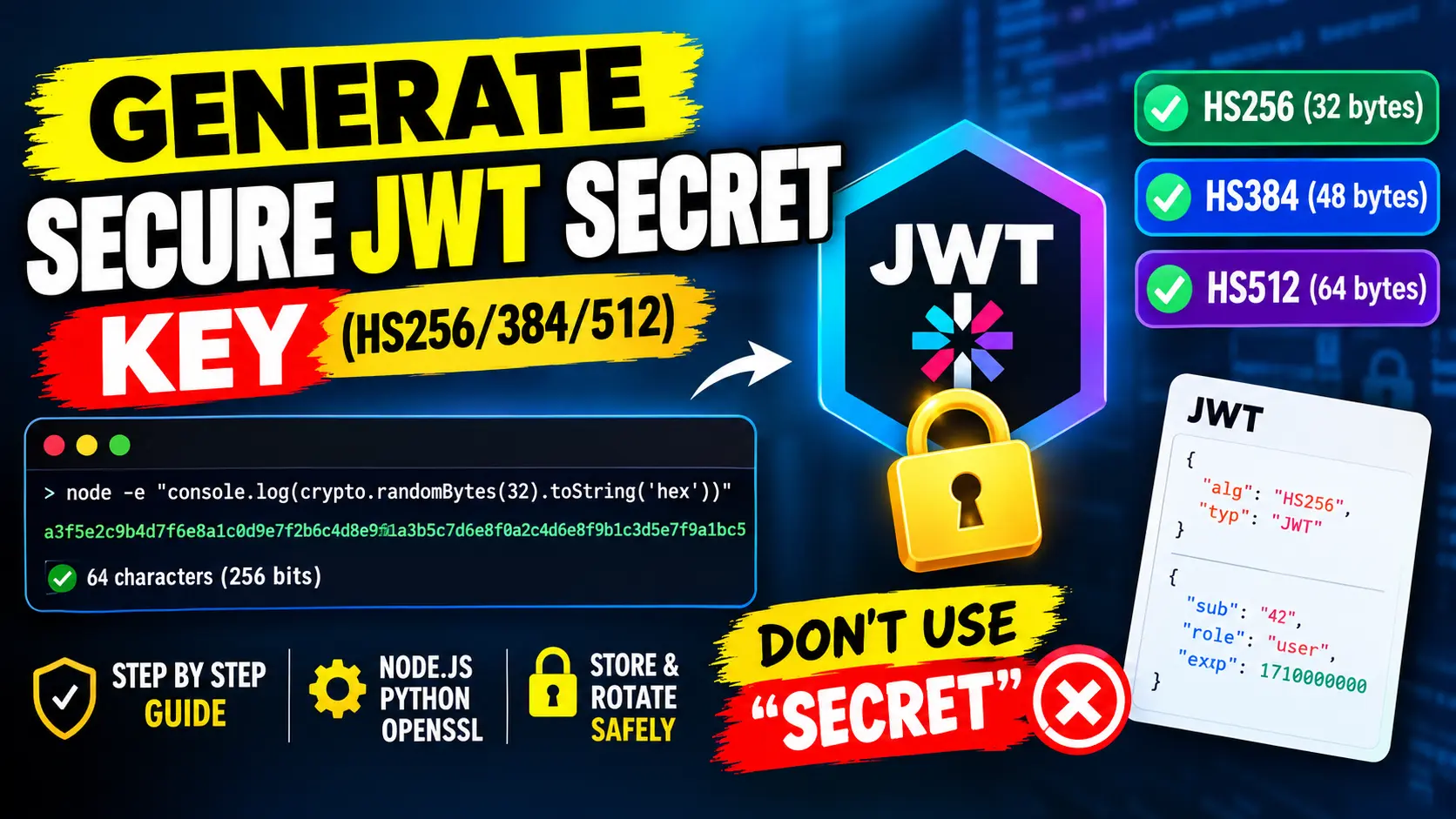
For the HMAC algorithms HS256, HS384 and HS512, the secret should be at least as long as the hash output. RFC 7518 says this for HS256: the key must be 256 bits or larger. Use random bytes, not a phrase:
- HS256: 32 bytes (256 bits), which is 64 hex characters or 43 Base64URL characters
- HS384: 48 bytes (384 bits), which is 96 hex characters or 64 Base64URL characters
- HS512: 64 bytes (512 bits), which is 128 hex characters or 86 Base64URL characters
A passphrase typed by a person is not 256 bits, even when it has 32 characters, because people choose predictable words and patterns. The secret has to come from a cryptographically secure random generator.
How to generate a JWT secret key
Node.js
const crypto = require('crypto');
console.log(crypto.randomBytes(32).toString('hex'));
This prints 64 hexadecimal characters, which are 32 random bytes. Use .toString('base64url') instead for a 43-character result.
Python
import secrets

print(secrets.token_hex(32))        # 64 characters
print(secrets.token_urlsafe(32))    # 43 characters
OpenSSL
openssl rand -base64 32     # 44 characters, ends with =
openssl rand -hex 32        # 64 characters
Do not use Math.random(), a timestamp, a hash of the date or a UUID as a key. A version 4 UUID has only 122 random bits and was not designed to be a secret.
Why a weak JWT secret fails
An attacker who has one token knows the header, the payload and the signature. The signature is an HMAC of the first two parts, so the attacker can compute the HMAC for every candidate secret and compare it with the signature. No request to your server is needed, and nothing shows up in your logs.
I tested this on a token signed with HS256. With a short word list, secret was found after 9 attempts in under a millisecond, and mysecret after 8. A random 32-byte secret was not found. In plain single-threaded JavaScript my test tried about 150,000 guesses per second, and specialised tools are much faster. A random 256-bit secret has 2 to the power of 256 possibilities, a number with 78 digits, so guessing it is not practical.
Do not expect your library to stop you. The jsonwebtoken package (version 9.0.3) signed a token with the three-character secret abc without any warning.
Use the secret to sign and verify a token
Read the secret from an environment variable, sign with an expiry time and always pin the algorithm when you verify:
const jwt = require('jsonwebtoken');
const secret = process.env.JWT_SECRET;

const token = jwt.sign(
  { sub: '42', role: 'user' },
  secret,
  { algorithm: 'HS256', expiresIn: '1h' }
);

const payload = jwt.verify(token, secret, { algorithms: ['HS256'] });
These are the results I got when verification fails:
- Wrong secret:
JsonWebTokenError: invalid signature - Expired token:
TokenExpiredError: jwt expired - Unsigned token (alg none) while algorithms are pinned:
JsonWebTokenError: jwt signature is required
The exp claim in this token is one hour after iat, which is 3600 seconds. Both claims are in seconds since 1 January 1970 UTC.
Store and rotate the secret
- Keep it out of the code. Load it from an environment variable or a secrets manager, and never commit it to a repository.
- Use a different secret for each environment. A leaked development secret must not work in production.
- Plan rotation. Add a
kid(key id) to the header, accept both the old and the new key for a short time, and keep token lifetimes short so that old tokens die out. - Consider asymmetric keys. If several services only need to verify tokens, use RS256 or ES256. Then those services hold only the public key, and only the issuer holds the private key.
- Never log secrets or full tokens. Logs are copied, shared and stored for a long time.
- Treat a leak as a compromise. If the secret was exposed, replace it and invalidate the sessions that used it.
Common mistakes
- Short or dictionary secrets such as
secret,passwordor the name of the project. - The same secret everywhere, in development, testing and production.
- A secret in front-end code. Anything that ships to the browser is public, so a browser app can never hold a signing secret.
- Not pinning the algorithm in the verification call, which lets the token decide how it is checked.
- Mixing raw and Base64 secrets. Some libraries treat the secret as text, and others expect it to be Base64-encoded and decode it first. If one service decodes the secret and another uses it as text, the signatures never match. If you meet Base64 problems, see the guide to the Base-64 length error.
- Putting secrets in the payload. The payload is only encoded, not encrypted, and anyone can read it.
Check your signed token with the JWT Decoder
After you sign a token with your new secret, look at what you actually produced. Paste it into the JWT Decoder to read the header and the payload, check the alg field and see which claims the token carries. Convert the exp and iat values with the Timestamp Converter to read them as dates.
The decoder runs in your browser, but avoid pasting production tokens into any online tool. Note that decoding does not verify the signature. Checking the signature needs your secret and belongs on the server, in a call like jwt.verify.
FAQs
What is a JWT secret key?
It is the shared secret that the server uses to sign a token with an HMAC algorithm such as HS256 and to check the signature later. Whoever knows it can create valid tokens, so it must stay private.
Can I use any string as a JWT secret?
Technically yes, because libraries accept short strings without complaint. Practically no. A short or guessable string can be recovered from a single token. Use at least 32 random bytes for HS256.
Is it safe to use an online JWT secret key generator?
For a production secret, prefer your own machine. A value created on a web page has passed through code that you cannot inspect or control. The commands above produce the same quality of secret locally with the secure random generator of your operating system.