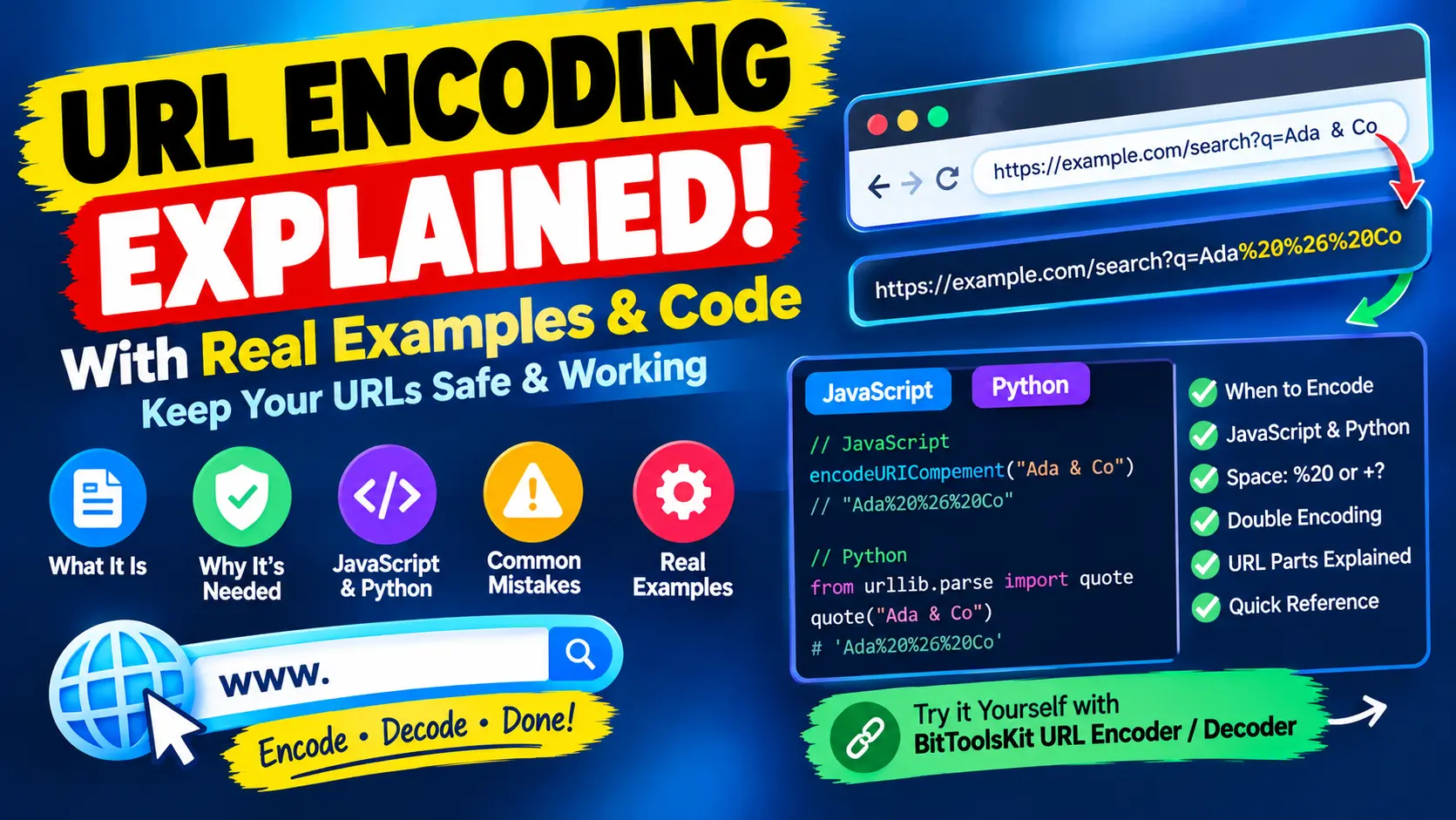
Type Ada & Co into the search box of a website and the address bar often shows something like q=Ada%20%26%20Co. Those percent signs are not a glitch. They are URL encoding, the way the web writes characters that cannot appear in an address exactly as typed.
Most of the time it works silently. Then one day a search for "C++" returns results for "C", a link stops at a hash sign, a redirect fails with a malformed address or a value arrives as a%2520b instead of a b. This guide explains how URL encoding works, when to encode, which function to use in JavaScript and Python, and how to avoid the most common mistake, double encoding. Every output shown here was produced by running the code, and you can test any value yourself with the URL Encoder / Decoder.
What URL encoding is
URL encoding, also called percent-encoding, replaces a character with a percent sign followed by two hexadecimal digits. The two digits are the value of one byte. A space is the byte 20, so it becomes %20. An ampersand is 26, so it becomes %26.
Characters outside plain ASCII are first converted to UTF-8, and then every byte is written as a percent code. The letter é takes two bytes, so it becomes %C3%A9. The Urdu word اردو has four letters of two bytes each, so it becomes eight codes. An emoji such as 😀 takes four bytes:
é                 %C3%A9
اردو              %D8%A7%D8%B1%D8%AF%D9%88
😀                %F0%9F%98%80
Café & Crème      Caf%C3%A9%20%26%20Cr%C3%A8me
Browsers often show the readable form in the address bar, but the encoded form is what travels over the network and what your server code receives.
Why URLs need encoding
A URL is built from parts, and each part is separated by a special character:
https://example.com/search?q=ada&lang=en#results- Scheme:
https - Host:
example.com - Path:
/search, where/separates segments - Query:
q=ada&lang=en, where?starts the query,&separates parameters and=joins a name to a value - Fragment:
results, which starts at#
If your data contains one of these characters, the parser cannot tell your data from the structure of the URL. Three real examples show what goes wrong:
- An ampersand.
?q=Ada & Co&lang=enis split at every ampersand. The server seesqasAdawith a trailing space, a stray parameter namedCo, andlang=en. The encoded valueAda%20%26%20Costays in one piece. - A hash sign. In
?q=C# tutorial, everything after the#is the fragment, which browsers never send to the server. The server receives onlyq=C. Encoded, the value isC%23%20tutorial. - A percent sign. Since
%now starts an escape code, a literal one must be written%25, so50% offbecomes50%25%20off.
Which characters are safe
The standard that defines URLs, RFC 3986, splits characters into groups:
- Unreserved characters never need encoding: the letters A to Z and a to z, the digits 0 to 9, and the four symbols
-._~. - Reserved characters have a job in the URL structure:
: / ? # [ ] @ ! $ & ' ( ) * + , ; = - Everything else, such as spaces, quotation marks, angle brackets and all non-ASCII characters, must be encoded.
A reserved character is written as it is when it does its structural job, and encoded when it is part of a value. A slash between two path segments stays a slash. A slash inside a file name that you put in one segment must be written %2F.
encodeURIComponent, encodeURI and URLSearchParams in JavaScript
JavaScript has two classic functions, and picking the wrong one is the source of many bugs. See the MDN documentation for encodeURIComponent for the details.
- encodeURIComponent is for a single value, such as one query parameter or one path segment. It encodes the reserved characters too.
- encodeURI is for a complete address. It leaves the reserved characters alone, so the structure of the URL survives.
encodeURIComponent("Ada Lovelace & Co")
// "Ada%20Lovelace%20%26%20Co"

encodeURI("https://example.com/search?q=hello world&lang=en")
// "https://example.com/search?q=hello%20world&lang=en"

encodeURIComponent("https://example.com/search?q=hello world&lang=en")
// "https%3A%2F%2Fexample.com%2Fsearch%3Fq%3Dhello%20world%26lang%3Den"
The third line is correct only when the whole address is itself a value, for example inside a redirect parameter. Used on a normal link it destroys the link. In the opposite direction, encodeURI is useless for values. It leaves &, =, ? and # untouched, so a value that contains them would break the query string:
encodeURI(":/?#[]@!$&'()*+,;=")
// ":/?#%5B%5D@!$&'()*+,;="

encodeURIComponent(":/?#[]@!$&'()*+,;=")
// "%3A%2F%3F%23%5B%5D%40!%24%26'()*%2B%2C%3B%3D"

encodeURIComponent("a=b&c=d")
// "a%3Db%26c%3Dd"
One more detail: encodeURIComponent does not encode ! ' ( ) *, although RFC 3986 lists them as reserved. This rarely matters, but if a system requires strict encoding you have to replace those five characters yourself.
The safest approach is to let the platform build the query string. URLSearchParams and the URL object encode every value correctly and also normalise the parts of an address:
new URLSearchParams({q: "Ada & Co", city: "São Paulo"}).toString()
// "q=Ada+%26+Co&city=S%C3%A3o+Paulo"

const u = new URL("https://example.com/search");
u.searchParams.set("q", "Ada & Co");
u.searchParams.set("lang", "en");
u.href
// "https://example.com/search?q=Ada+%26+Co&lang=en"

new URL("https://example.com/a b?q=x y#frag z").href
// "https://example.com/a%20b?q=x%20y#frag%20z"
Space: %20 or +?
A space has two accepted spellings, and mixing them up causes subtle bugs. In the path of a URL, a space is always %20. In the query string, + is also read as a space, because HTML forms use the format application/x-www-form-urlencoded, which writes a space as a plus sign. encodeURIComponent writes %20, while URLSearchParams writes +. Both are valid in a query string.
The trouble starts when you decode. A plus sign is turned into a space only by form-style decoders:
decodeURIComponent("a+b")                 // "a+b"    the plus stays
new URLSearchParams("q=a+b").get("q")     // "a b"    the plus becomes a space
This is the cause of the classic "C++" bug. A raw plus sign in a query is read as a space, so each + in C++ tutorial turns into a space. A literal plus sign must be written %2B:
new URLSearchParams("q=C++ tutorial").get("q")
// "C   tutorial"     (each plus became a space, so three spaces in a row)

new URLSearchParams("q=C%2B%2B+tutorial").get("q")
// "C++ tutorial"
The same happens in Python, where parse_qs('q=C++ tutorial') returns C tutorial.
The same job in Python
Python's urllib.parse module has one function for each convention:
from urllib.parse import quote, quote_plus, urlencode, unquote, unquote_plus

quote("Ada & Co")                 # 'Ada%20%26%20Co'
quote_plus("Ada & Co")            # 'Ada+%26+Co'
quote("a/b")                      # 'a/b'     the slash is kept by default
quote("a/b", safe="")             # 'a%2Fb'

urlencode({"q": "Ada & Co", "city": "São Paulo"})
# 'q=Ada+%26+Co&city=S%C3%A3o+Paulo'

urlencode({"q": "Ada & Co"}, quote_via=quote)
# 'q=Ada%20%26%20Co'

unquote("a+b")                    # 'a+b'
unquote_plus("a+b")               # 'a b'
The detail to remember is that quote() keeps the slash unencoded unless you pass safe="". If a value can contain a slash, such as a file path used as a single parameter, write quote(value, safe="").
PHP and Java follow the same split. In PHP, urlencode() writes a space as +, while rawurlencode() writes %20 and follows RFC 3986, which makes it the better choice for path segments. Java's URLEncoder was designed for form data, so it also writes a space as +.
Double encoding
Double encoding happens when a value that is already encoded is encoded again. The percent sign of the first round is itself encoded as %25, so %20 becomes %2520:
encodeURIComponent("a b")                                     // "a%20b"
encodeURIComponent(encodeURIComponent("a b"))                 // "a%2520b"
encodeURIComponent(encodeURIComponent(encodeURIComponent("a b")))  // "a%252520b"

decodeURIComponent("a%2520b")                                 // "a%20b"
decodeURIComponent(decodeURIComponent("a%2520b"))             // "a b"
The giveaway is the sequence %25 followed by two hexadecimal digits, such as %2520 or %253A. If you see it, a value was encoded twice and a single decode still leaves percent codes behind.
It usually happens in one of four ways:
- You encode a value yourself and then pass it to a library that encodes parameters again, such as
URLSearchParamsor theparamsoption of an HTTP client. - You run
encodeURIComponenton a complete address that already contains percent codes. - A redirect address is encoded by your application and again by a framework or a proxy.
- You copy an encoded link from a log and encode it again.
The fix is to encode raw values exactly once, as late as possible, and to let the library do it. Do not encode a finished URL. Be careful with the opposite habit of decoding until nothing changes. A value can legitimately contain a literal %20, and decoding it repeatedly corrupts the data and can also be abused to slip past security checks. Decode once for every layer of encoding you know has been applied.
A URL inside another URL
Three situations come up again and again in real projects.
A redirect parameter. The address to return to after a login is a value of the login URL, so it is encoded as a component:
"https://example.com/login?next=" + encodeURIComponent("/account?tab=billing&page=2")
// "https://example.com/login?next=%2Faccount%3Ftab%3Dbilling%26page%3D2"
Without encoding, the &page=2 would become a parameter of the login URL instead of a part of the return address.
A mailto link. The subject and the body need encoding, and a line break is %0A:
mailto:info@example.com?subject=Hello%20World&body=Line%201%0ALine%202A file name in a path. A slash inside one segment must be encoded, while the slashes between segments stay:
encodeURIComponent("reports/2024 Q1.pdf")   // "reports%2F2024%20Q1.pdf"
encodeURI("/files/a b/c.txt")                // "/files/a%20b/c.txt"
The same rule applies to structured data in a query. A small JSON object becomes one long encoded value, %7B%22a%22%3A1%2C%22b%22%3A%5B1%2C2%5D%7D, and after decoding you can read it with the JSON Formatter.
Decoding errors and older encodings
Decoding fails when the percent codes are not valid. In JavaScript the error is URIError: URI malformed, and it appears in two typical cases:
decodeURIComponent("100%")        // URIError: URI malformed   (lone percent sign)
decodeURIComponent("%E0%A4%A")    // URIError: URI malformed   (a cut-off multi-byte sequence)
A lone percent sign usually means the text was never encoded. A cut-off sequence means the link was shortened or damaged, for example by a chat app that wrapped it.
A third case comes from older systems. Some of them encode text as Latin-1 instead of UTF-8, so é is %E9 and not %C3%A9. JavaScript refuses to decode a lone %E9 and throws the same error. Python's unquote assumes UTF-8 and returns a replacement character instead, and only unquote("%E9", encoding="latin-1") gives é. If decoded text is garbled, check which character set the source used.
The hexadecimal digits can be written in either case. %c3%a9 and %C3%A9 both decode to é, but the standard recommends uppercase, so use uppercase when you compare or sign URLs.
What URL encoding is not
- It is not encryption. Anyone can decode it in a second, so it hides nothing.
- It is not protection against attacks. It does not replace output escaping for HTML or parameterised queries for SQL.
- It does not make secrets safe in a URL. Addresses are stored in server logs, browser history and referrer headers, so passwords and tokens do not belong in them, encoded or not.
- It is not Base64. Base64 turns binary data into text, while URL encoding makes text safe inside an address. They can be combined, but they solve different problems. The Base64 Encoder / Decoder covers the other format.
Common mistakes at a glance
- Encoding a whole URL with encodeURIComponent. The slashes and the question mark are encoded and the link breaks. Use
encodeURIfor a whole address, or build it withURL. - Encoding a value with encodeURI. An
&or#in the value splits the query. UseencodeURIComponentfor values. - Encoding twice. Look for
%25in the output, and encode only once. - Writing a raw plus sign. Use
%2B, or the value is read as a space. - Forgetting that quote() keeps slashes in Python. Pass
safe=""for single values. - Decoding with the wrong function. Use a form-style decoder for form data and a plain one for paths.
- Leaving a space or a line break at the end of a value. It becomes
%20or%0A. Trim the text first. - Assuming the character set. Modern systems use UTF-8, older ones may use Latin-1.
Quick answers
Should a space be %20 or +?
Use %20 in paths and whenever you are not sure. A plus sign is read as a space only in the query string of form-style data.
Do I need to encode the whole URL?
Usually no. Encode each value that goes into the URL, and build the rest from plain parts, ideally with the URL object.
Why is my encoded text longer than the original?
Every encoded byte takes three characters, and a character outside ASCII takes two to four bytes. The word اردو is 4 characters but its encoded form is 24.
Why does decoding give me an error?
The text contains a percent sign that is not followed by two valid hexadecimal digits, or a multi-byte sequence that is cut off. Fix or remove the broken part.
Summary
URL encoding keeps data from being mistaken for the structure of an address. Encode each value once, at the last moment, with the function made for values: encodeURIComponent in JavaScript and quote with safe="" in Python. Let URL, URLSearchParams or urlencode build whole query strings, write a literal plus sign as %2B and treat %25 in your output as a sign of double encoding. When a value looks suspicious, paste it into the URL Encoder / Decoder and read what it really contains.